
Security Tips
Entra's New "Require Risk Remediation" Grant Control. A Smarter Approach to User Risk
Microsoft has added a new grant control to Conditional Access that changes how organisations respond when Entra ID Protection flags a user as risky. Here's what it does and how to set it up.
Stephen Devlin · · 5 min read
Microsoft has added a new grant control to Conditional Access: Require risk remediation. It changes how organisations can respond when Entra ID Protection flags a user as risky, and it addresses a real limitation in the way risk-based policies have worked until now.
If you're using Entra ID Protection (and if you're not, that's a separate conversation), this is worth understanding.
The Problem It Solves
Risk-based Conditional Access policies have traditionally offered two responses when a user is flagged: block them entirely, or require a password change plus MFA.
Blocking is appropriate in high-severity scenarios, but it's operationally expensive. The user can't work until an admin investigates and manually dismisses the risk. For large organisations, that creates a bottleneck that doesn't scale.
The password change plus MFA approach was the recommended middle ground. The user proves their identity through MFA, resets their password, and the risk is automatically remediated. It works, but it has a problem: it always forces a password change regardless of the risk type.
If a user triggers a risk detection because of impossible travel or an unfamiliar sign-in location, that's a session-based signal, not evidence of a compromised credential. Forcing a password reset in that scenario is unnecessary friction. It wastes the user's time and normalises password changes as a routine annoyance rather than a meaningful security response.
It also breaks down for passwordless users. If someone authenticates exclusively through passkeys or Windows Hello for Business, requiring a password change either forces them back to a password-based flow they don't use, or simply fails.
How the New Control Works
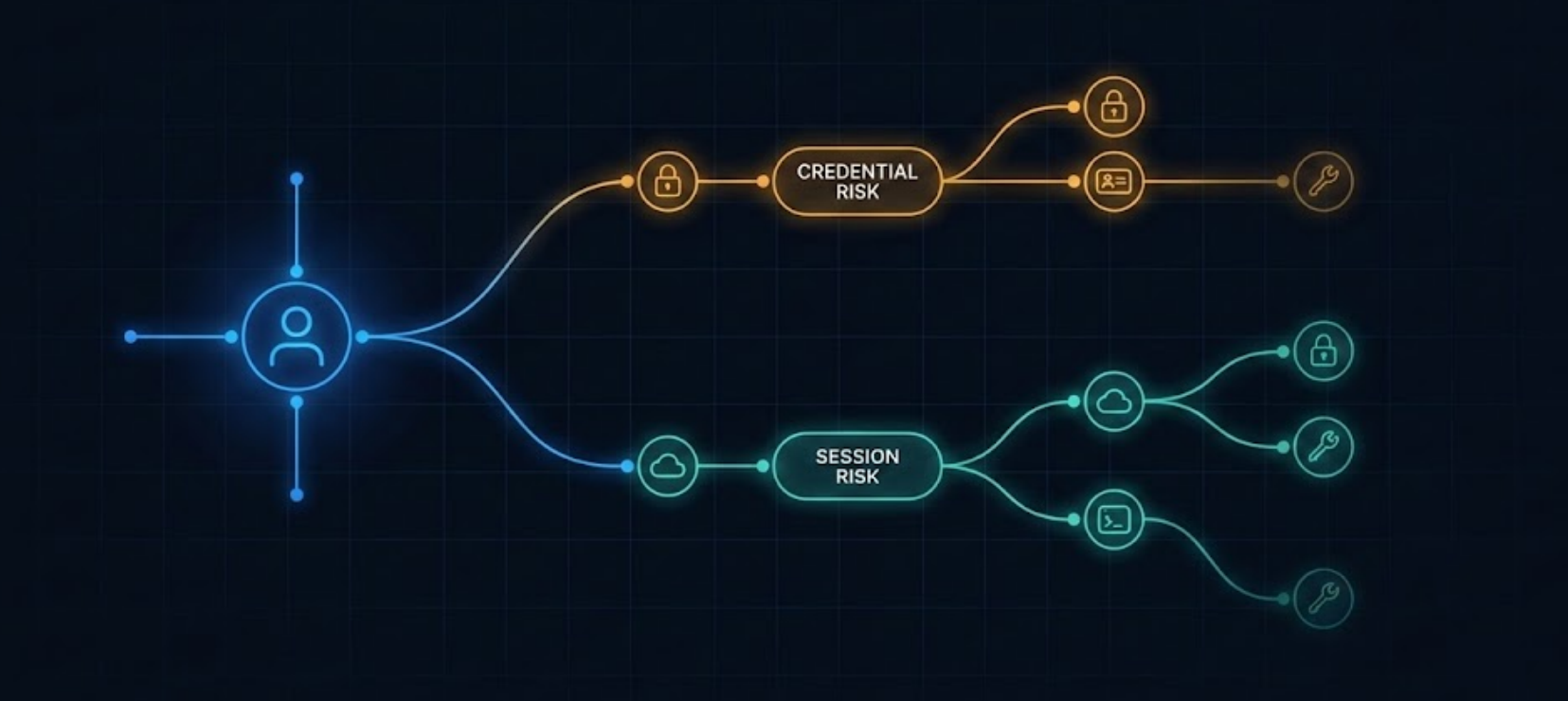
"Require risk remediation" delegates the remediation decision to Entra ID based on the type of risk detected and the user's available authentication methods.
For credential-based risks (leaked credentials, password spray detections), the user is still prompted to change their password and complete MFA. That's appropriate, because the credential itself may be compromised.
For session-based risks (impossible travel, anonymous IP, unfamiliar sign-in properties), the user can remediate by completing a strong authentication challenge. No password change required. The system verifies the user's identity without imposing a remediation step that doesn't match the threat.
For passwordless users, the control adapts to whatever methods are available rather than falling back to password-based flows.
The result is remediation that's proportional to the actual risk.
Setting It Up
The configuration is straightforward. In the Entra admin centre, navigate to Protection > Conditional Access and create or edit a risk-based policy.
You can also check which risk detections are currently active in your tenant using Microsoft Graph:
GET https://graph.microsoft.com/v1.0/identityProtection/riskyUsers?$filter=riskLevel eq 'medium' or riskLevel eq 'high'A typical response for a risky user looks like this:
{
  "id": "a1b2c3d4-...",
  "userPrincipalName": "jsmith@contoso.com",
  "riskLevel": "medium",
  "riskState": "atRisk",
  "riskDetail": "aiConfirmedSigninSafe",
  "riskLastUpdatedDateTime": "2026-02-19T14:32:00Z"
}
The riskDetail field tells you the type of detection. This is what the new remediation control uses to determine the appropriate response. Credential-based detections like leakedCredentials will prompt a password change. Session-based detections like impossibleTravel will require a strong authentication challenge only.
To see the specific risk detections behind a user's risk level:
GET https://graph.microsoft.com/v1.0/identityProtection/riskDetections?$filter=userPrincipalName eq 'jsmith@contoso.com'This returns the individual detections with their type, level, and timing, which is useful for understanding whether the new remediation control would have responded differently to recent incidents.
Monitoring with KQL
If you're sending Entra sign-in logs to a Log Analytics workspace, you can track how risk-based policies are being applied using KQL:
SigninLogs
| where TimeGenerated > ago(7d)
| where RiskLevelDuringSignIn in ("medium", "high")
| extend CA = parse_json(ConditionalAccessPolicies)
| mv-expand CA
| where CA.displayName contains "risk"
| project TimeGenerated, UserPrincipalName, RiskLevelDuringSignIn,
          RiskDetail, tostring(CA.displayName), tostring(CA.result)
| sort by TimeGenerated desc
This gives you a view of which users are hitting your risk-based policies and what the outcome was. Run this before and after migrating to the new grant control to compare behaviour.
Common Gaps Worth Checking
This is a good opportunity to review your risk-based policies more broadly, because many organisations have gaps they haven't addressed.
You can quickly check whether you have any risk-based policies at all using Graph:
GET https://graph.microsoft.com/v1.0/identity/conditionalAccess/policies?$filter=conditions/userRiskLevels/any(r: r eq 'high' or r eq 'medium')Why This Matters
This isn't a dramatic overhaul. It's a refinement. But it's the kind of refinement that reflects how identity security is maturing. Prescriptive, one-size-fits-all responses are being replaced by adaptive controls that match the response to the threat.
Organisations that adopt this will reduce unnecessary friction for their users while maintaining an appropriate security response. That's a better outcome than forcing a password reset every time someone logs in from a hotel.