
Dev Log
Dev Log: Week of February 24
Homepage redesign, a Change Tracker and Enforcement Simulator for the March 27 OIDC enforcement, PostHog analytics, and a new Report-Only Insights page in beta.
Stephen Devlin · · 6 min read

This is the second dev log. If you missed the first one, the idea is simple: an honest look at what I'm building, what decisions I'm making, and why. No press release energy. Just the reality of building a security tool as a solo developer.
This was a week split between two very different types of work: user-facing features and behind-the-scenes infrastructure. The headline items are a full homepage redesign, two new analysis pages for tracking Microsoft's upcoming enforcement changes, and a Report-Only Insights page that I've been wanting to build for weeks. But there was also a lot of operational work that nobody will ever see unless they're me.
One thing I've noticed building AccessLens is that the ratio of visible work to invisible work is roughly 1:3. For every feature a user sees, there are three things behind it that had to exist first. Analytics, admin tooling, webhook fixes, database migrations. It's not glamorous, but it's what keeps the whole thing running. This week had a healthy mix of both.
Homepage Redesign
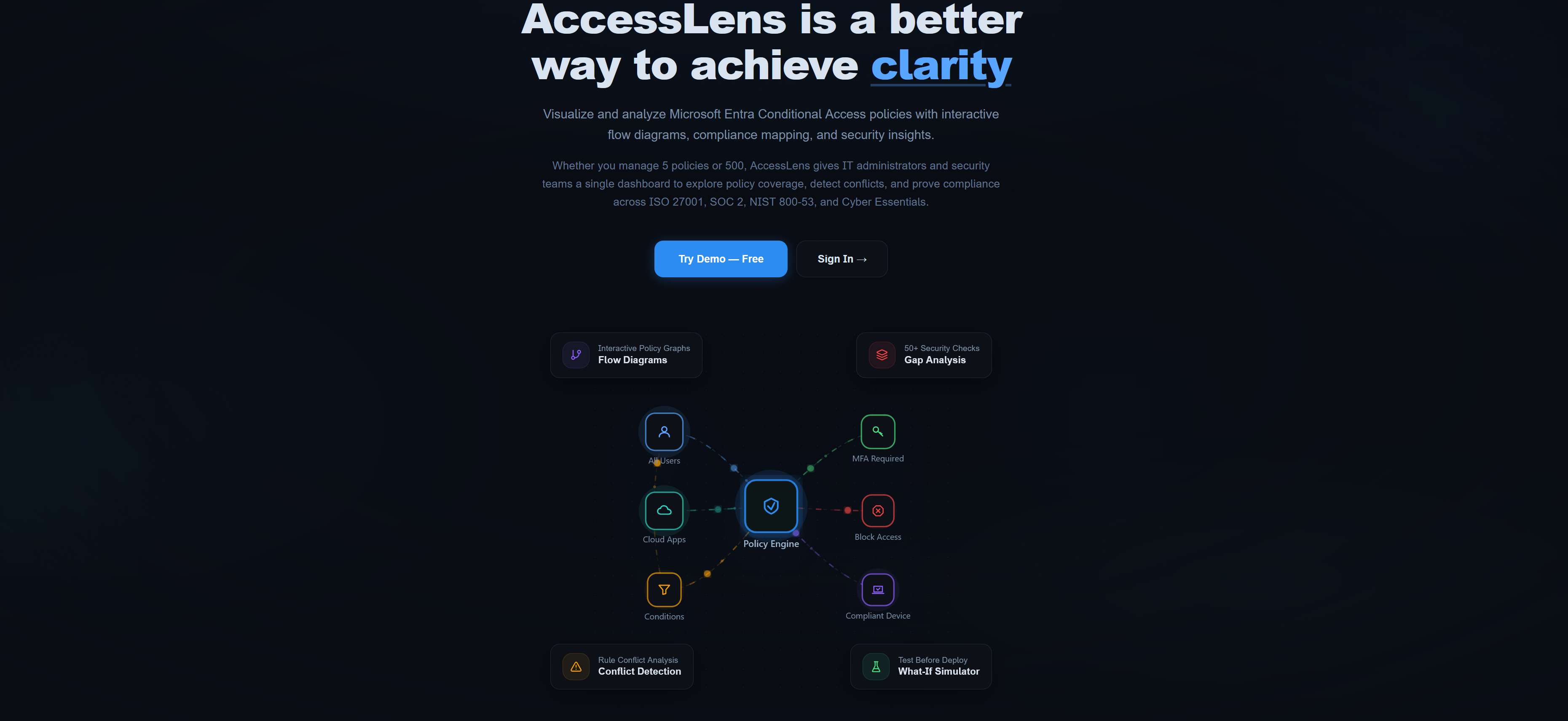
The landing page got a complete overhaul. The old layout was functional but flat. It listed features in a vertical stack and didn't do a great job of explaining what AccessLens actually does for someone landing on the site for the first time.
The new design introduces a few things. A CyberGlobe component in the hero section gives the page some visual weight without being distracting. The CoreCapabilities section was rebuilt into a zigzag layout, alternating left and right, with each capability getting its own illustration. Added a "Why AccessLens" section that addresses the actual problem rather than just listing features. The copy was rewritten to lead with the pain point (Conditional Access policies are hard to audit at scale) rather than the solution.
This was mostly a marketing exercise, but it matters. If someone lands on the site and doesn't understand what the tool does within five seconds, they're gone.
Change Tracker and Enforcement Simulator
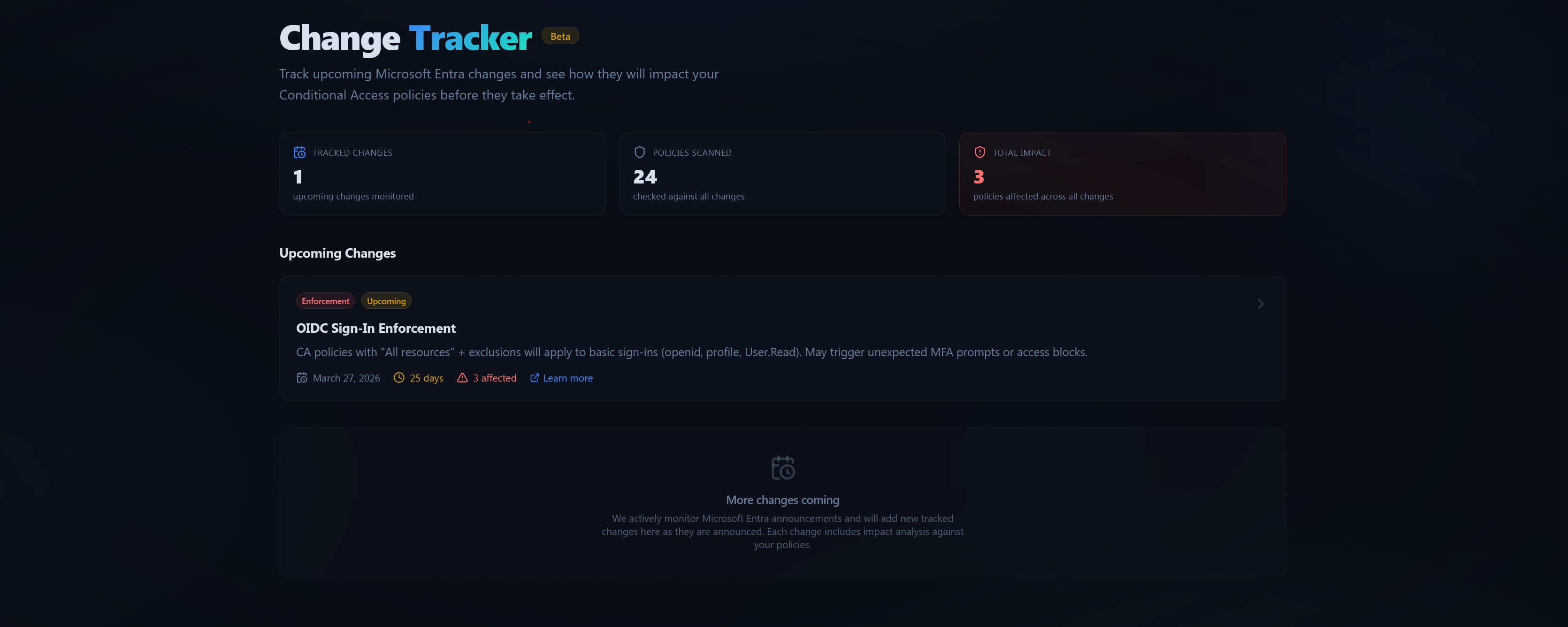
These are two new pages, and they're directly tied to the March 27, 2026 OIDC sign-in enforcement change that Microsoft is rolling out.
The Change Tracker is a registry of upcoming Microsoft changes that affect Conditional Access. Each entry has an enforcement date, category (enforcement, deprecation, new feature), and current status. Right now there's one entry for the OIDC enforcement, but the structure is built to support any future changes Microsoft announces. It links through to the relevant simulator.
The Enforcement Simulator is the more interesting one. It takes your actual Conditional Access policies and analyses them against the upcoming OIDC enforcement change. If you have policies scoped to "All resources" with exclusions, those exclusions currently don't apply to basic sign-in requests (openid, profile, User.Read). After March 27, they will. The simulator shows you which of your policies are affected, what the impact severity is, and what you need to do about it.
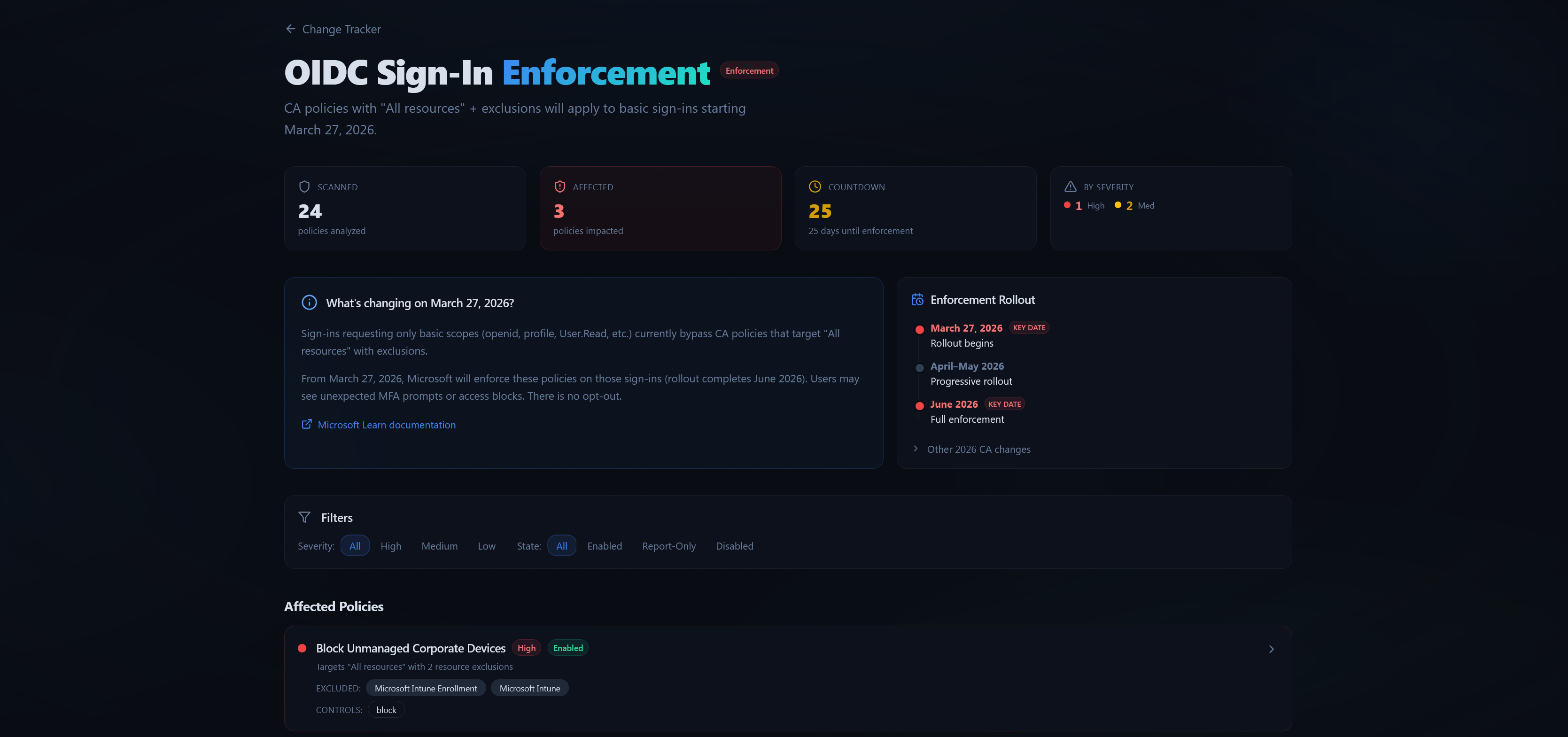
This is the kind of feature that has a shelf life. Once the enforcement date passes and everyone's adapted, the simulator becomes less relevant. But right now, with less than a month to go, it's genuinely useful for anyone who hasn't audited their policies for this change yet.
Report-Only Insights (Beta)
This is a new page that analyses your report-only Conditional Access policies against real sign-in log data. The question it answers: what would actually happen if you enforced these policies right now?
Report-only mode is the recommended way to validate a policy before enforcing it. But in practice, most admins set a policy to report-only, wait a few days, skim a few log entries, and hope for the best. The data is there in the sign-in logs, but it's scattered across thousands of entries and there's no easy way to see the aggregate picture.
Report-Only Insights pulls that data together. For each report-only policy, it shows you how many sign-ins would have been affected, breaks down the impact by outcome (would have been blocked, would have required MFA, would have passed), and identifies which users are most impacted. There are trend charts showing how the impact changes over time, pie charts for the allow/block split, and readiness badges that give you a quick assessment of whether a policy is safe to promote to enforced.
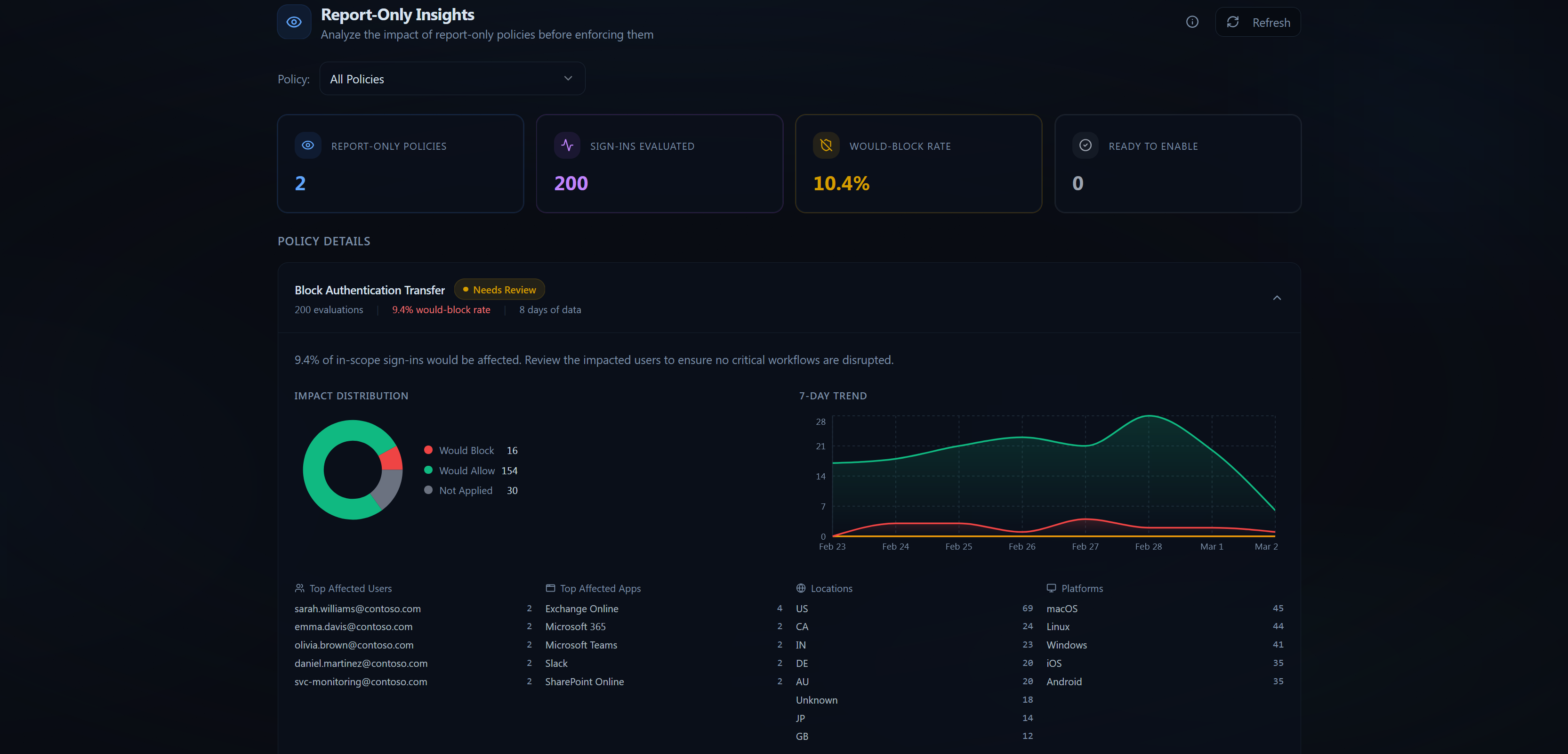
This one is currently in beta. The UI and analysis engine are working, but the sign-in log integration still needs some edge case handling and the readiness scoring algorithm will likely be refined as we get feedback. It's usable now, but expect it to evolve.
PostHog Analytics
Added product analytics using PostHog, hosted on the EU instance. The integration handles SPA routing with manual page view tracking (since PostHog's default page view capture doesn't play well with client-side routing), autocapture for click events, and page leave tracking.
The setup disables heavier features like session recording and surveys in development to avoid proxy issues, but they're enabled in production. Person profiles are set to identified users only, so anonymous visitors aren't tracked individually.
This was a straightforward integration, but it fills a real gap. Until now I had no visibility into which features people actually use, which pages they visit, or where they drop off. Flying blind when you're trying to prioritise what to build next isn't ideal.
What's Next
Refining Report-Only Insights based on early feedback is the immediate priority. The readiness scoring needs calibration, and I want to add the ability to compare two time windows so you can see whether a policy's impact is trending in the right direction before you enforce it.
Beyond that, there are a few bigger ideas I'm exploring for the platform. Change tracking and diffing is high on the list. Right now, if someone modifies a Conditional Access policy in the Entra portal, there's no built-in way to see what changed. AccessLens could snapshot policies on each sync and surface a clean diff view showing exactly what was added, removed, or modified. That's the kind of visibility that's missing from the native tooling entirely.
Drift detection is related. If you've established a baseline set of policies that your tenant should have, AccessLens could monitor for deviations. A policy gets disabled, a condition gets loosened, an exclusion gets added. Those are the kinds of quiet changes that erode security posture without anyone noticing until the next audit.
I'm also thinking about cross-tenant comparison for MSPs. If you're managing 20 tenants, you want to know which ones have MFA enforced for admins and which ones don't, without clicking through each one individually. A summary dashboard that shows policy coverage across all your tenants would save a lot of time.
No promises on timelines for any of this. I'd rather ship something solid than rush out half-finished features. But these are the problems I keep hearing about from people using the tool, and they're the problems I want to solve.